Obsidian Canvas vs. Heptabase: How File-Centric and Card-Centric Architectures Shape Spatial Thinking
An architectural comparison of Obsidian Canvas and Heptabase: how file-centric vs. card-centric data models shape spatial thinking, graph indexing, and data portability.
At first glance, the Obsidian Canvas vs. Heptabase debate looks like a choice between two similar spatial note-taking tools. Both give you an infinite 2D canvas, both let you arrange notes side by side, and both let you draw arrows between ideas.
Under the hood, however, their data architectures are fundamentally opposite.
The short answer: Obsidian Canvas stores visual arrangements inside individual .canvas files using the open JSON Canvas format. In Heptabase, whiteboards are non-owning visual views over a central card library.
In practice, this means a line drawn on an Obsidian Canvas creates no link between notes in your vault, while a line drawn on a Heptabase whiteboard creates a connection both cards remember. In short: Obsidian’s connections are portable across external tools but unindexed in your vault’s graph; Heptabase’s connections are indexed across your cards but locked into its proprietary ecosystem.
If you are trying to decide whether to build your long-term knowledge workflow in Obsidian Canvas or invest in a dedicated spatial tool like Heptabase, looking at UI features won’t give you the answer. You have to look at how each tool models files, cards, and context.
Architectural Breakdown: Obsidian Canvas vs. Heptabase
| Architectural Dimension | Obsidian Canvas | Heptabase |
|---|---|---|
| First-Class Citizen | Files (.md notes and .canvas files) | Atomic Cards (Global entities across the workspace) |
| Spatial Organization | Embeds Markdown files or local text cards inside an open JSON Canvas file | Maps global cards as live views across multiple whiteboards simultaneously |
| What Connection Lines Mean | Visual coordinates stored in the board file; portable across tools, but unindexed in the vault graph | Relational connections surfaced in the Card Info panel; indexed in the workspace, but locked into the app |
| Context Awareness | Canvas-bound: Context lives in the canvas file, not in the note itself | Context-aware: Every card tracks all whiteboards it belongs to and all connected cards |
| Portability vs. Indexing | Portable, but unindexed: The .canvas file uses open JSON Canvas, but notes remain unaware of connections | Indexed, but proprietary: Connections compound across boards, but cannot be exported as an open interactive graph |
| Best Fit | Project roadmaps, system architecture diagrams, and visual brainstorming sketches | Cumulative research and long-term thinking bridging spatial exploration and linear writing |
Obsidian Canvas: A Visual Layer Stored Inside a Single File
Obsidian is built on a local-first philosophy: your knowledge base is a folder of plain-text Markdown files. Obsidian chose the file as its atomic unit. That choice is what makes a vault portable and durable—and it is also why a canvas can only be another file, with nowhere to store a connection except inside itself.
1. Spatial Organization: Embedding Files into a Single Canvas
When you create an Obsidian Canvas, you create a standalone .canvas file (stored on disk as JSON).
This creates an immediate architectural split:
- Cards created inside the canvas stay inside that file. If you type out ten quick thought cards directly on a canvas, those cards exist only inside that
.canvasfile. They do not appear as independent notes in your vault unless you manually convert them into separate Markdown files one by one. - External notes are embedded views. When you drag an existing
.mdfile onto a canvas, Obsidian renders an editable viewport into that file. However, the canvas is simply referencing the file’s path from the outside.
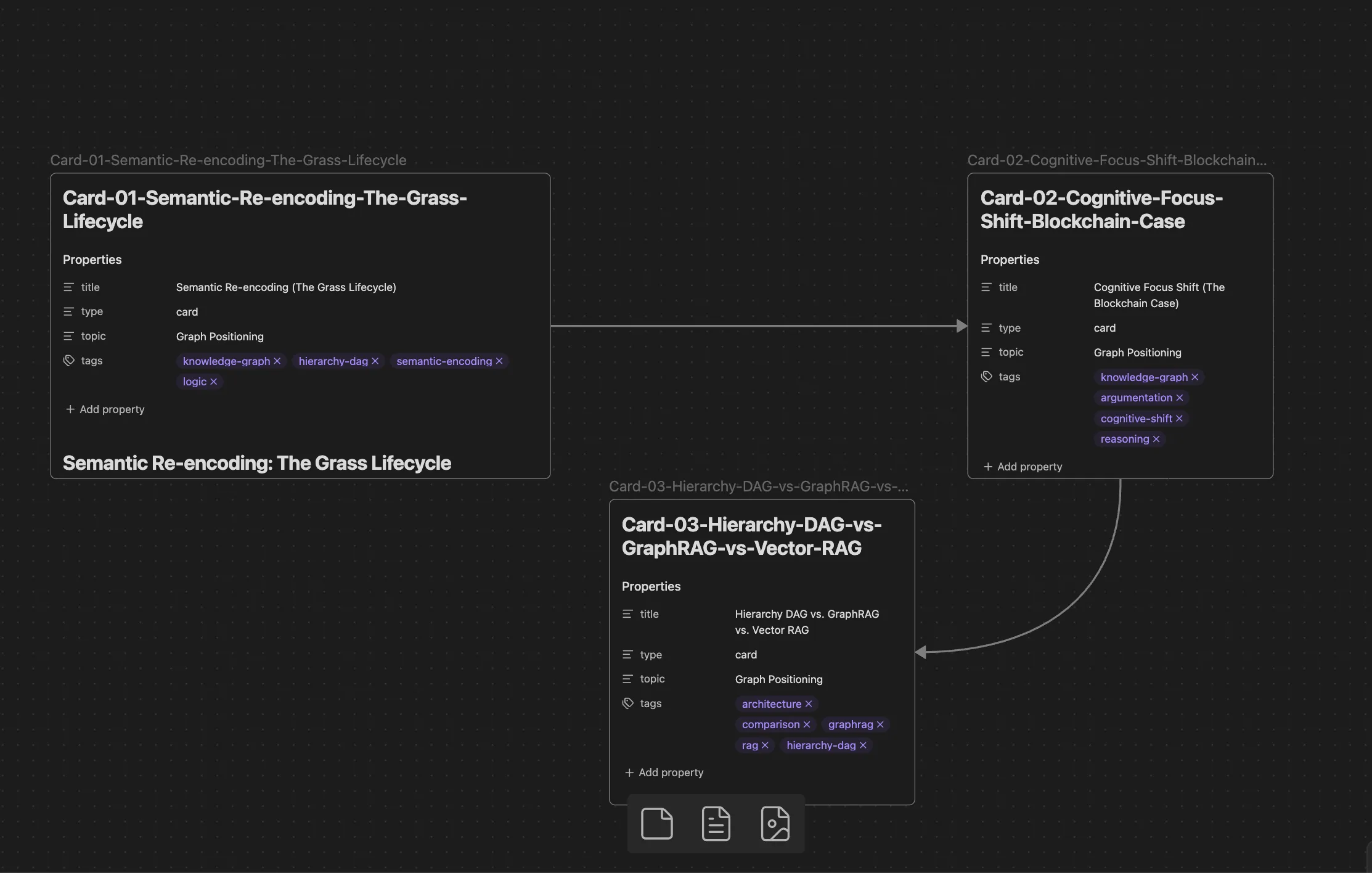
2. Connecting Ideas: Visual Lines vs. Real Graph Links
In a spatial workspace, the lines connecting notes often carry as much meaning as the notes themselves.
In Obsidian Canvas, the arrows you draw on a board are stored as visual coordinate data inside that specific .canvas file. They do not register as Markdown links or [[wikilinks]], and they do not appear in Obsidian’s global Graph View. If you draw an arrow from Note A to Note B on a canvas, the core link engine records no link between the two notes.
This architectural limitation is a frequent discussion point among users. In an Obsidian community forum thread introducing the Canvas Links plugin, one user noted:
“visual connections in the canvas are not actual links and so don’t show up in graph view.”
While community plugins can bridge embeds and show which canvas references a file, the core canvas lines remain localized visual data rather than relational graph links.
3. Context Awareness: Context Lives in the Canvas, Not in the Note
Because Obsidian’s architecture is strictly file-centric, Markdown files and .canvas files are structurally separated.
If a Markdown file is embedded across multiple canvases, it is simply being viewed from the outside. The file itself stores no metadata about its visual placement:
- When you open the note in your regular editor, it does not display which canvases currently contain it.
- It does not know what neighboring cards sit next to it on any canvas.
- It cannot see what arrow labels or connections point to it.
The moment you leave the .canvas file, that spatial context stays behind in the canvas file, leaving the note as an isolated piece of linear text.
The Verdict on Obsidian Canvas
Obsidian Canvas is best suited for visual brainstorming, process flowcharts, and system mapping. Because connections remain within the canvas file, it is less suited for atomic notes that need to accumulate links across many boards over time.
Heptabase: A Context-Aware Thinking Workbench
Heptabase approaches spatial note-taking from the opposite architectural perspective. Instead of treating the whiteboard as a container file that embeds independent documents, Heptabase separates what a note is from where a note is viewed.
1. Spatial Organization: Whiteboards as Non-Owning Views
In Heptabase, the atomic unit of the system is the card rather than the file.
As defined in Heptabase’s official documentation on Fundamental Elements:
“Whiteboards do not own cards. All cards belong to the Card Library. The same card can be placed on multiple whiteboards at the same time.”
Because whiteboards are non-owning visual views over a central library, placing a card on a whiteboard does not isolate or nest it. You can place the exact same card across multiple whiteboards simultaneously without duplicating content or breaking sync. An update made to a card on one board immediately reflects everywhere else that card appears.
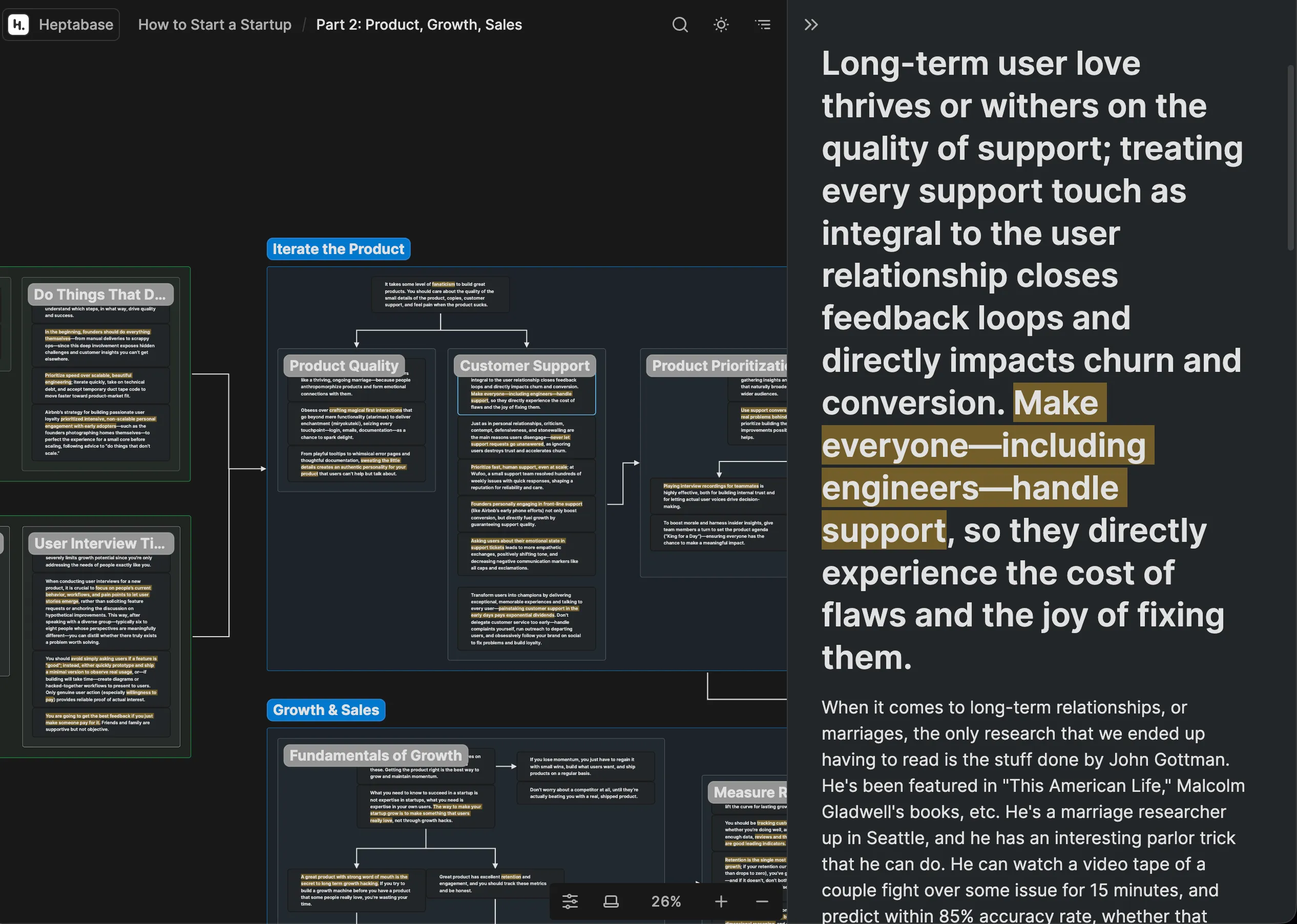
2. Connecting Ideas: Whiteboard Connections in the Card Info Panel
When you draw a connection line between two cards on a Heptabase whiteboard, the relationship is reflected directly in the workspace outside the board itself:
- Open Card A’s Card Info panel, and it lists Card B under its connected cards, noting the whiteboard where the arrow was drawn.
- Open Card B’s Card Info panel, and it displays the incoming connection from Card A.
- Clicking a connection entry in either card jumps you directly to that exact spatial coordinate on the whiteboard.
While inline @mentions in card text handle linear cross-references, whiteboard lines provide a dedicated spatial linking layer that cards track wherever they are opened.
3. Content Architecture: Cards That Preserve Context
Because cards are global entities, they retain their relational history across the entire workspace.
Opening a card’s Card Info Panel reveals its complete spatial context:
- Every whiteboard that currently contains this card.
- Every card that connects into it or out of it across all boards.
- A direct jump link back to the card’s exact position on any referenced whiteboard.
When you examine a card outside of any board, its visual and relational context remains accessible.
The Architectural Trade-Off of Heptabase: Portability vs. Integration
This deep contextual integration comes with a clear structural trade-off: data portability.
Obsidian Canvas saves spatial arrangements as standalone .canvas files adhering to the open JSON Canvas specification—meaning any external script or third-party tool can parse your boards.
Heptabase, by contrast, manages cards, connections, and whiteboard coordinates within its proprietary system. While Heptabase allows you to export your cards into standard Markdown files, your whiteboards export as static image files or linear card lists. The interactive visual lines and relational graph connecting those cards cannot be exported into an open visual format like JSON Canvas. You trade file durability and vendor-neutral portability for an integrated spatial workspace.
The Verdict on Heptabase
Heptabase functions well as a cumulative thinking workbench for visual researchers. Its global card architecture allows relationships established on whiteboards to compound across your workspace over time. However, adopting Heptabase requires committing to a specialized, proprietary ecosystem rather than relying on standard plain-text files.
Beyond 2D Whiteboards: When Spatial Brainstorming Meets Rigorous Writing
Understanding the architectural difference between Obsidian Canvas (a visual layer stored inside an individual file) and Heptabase (global cards mapped across non-owning views) clarifies how each tool approaches spatial organization.
Yet for researchers and writers whose primary goal is producing structured arguments rather than visual maps, 2D whiteboards themselves encounter natural limits:
- 2D arrows lack explicit logical semantics: On a whiteboard, an arrow between Card A and Card B indicates connection, but not logic. It does not formally specify whether an idea supports a claim, refutes an assumption, or serves as a prerequisite condition.
- Translation friction from 2D space to linear prose: Whiteboards arrange thoughts across spatial coordinates, whereas essays, reports, and memos are read sequentially. Turning a sprawling 2D canvas into a cohesive manuscript still forces you to manually flatten the spatial arrangement back into linear paragraphs, where the underlying logical skeleton often gets lost.
A Third Approach: Explicit Proposition Trees
Whiteboards optimize for visual brainstorming; documents optimize for sequential reading. Bridging the gap between messy exploration and rigorous writing requires modeling the logical dependencies of ideas—claims, evidence, and counterarguments—rather than 2D coordinates.
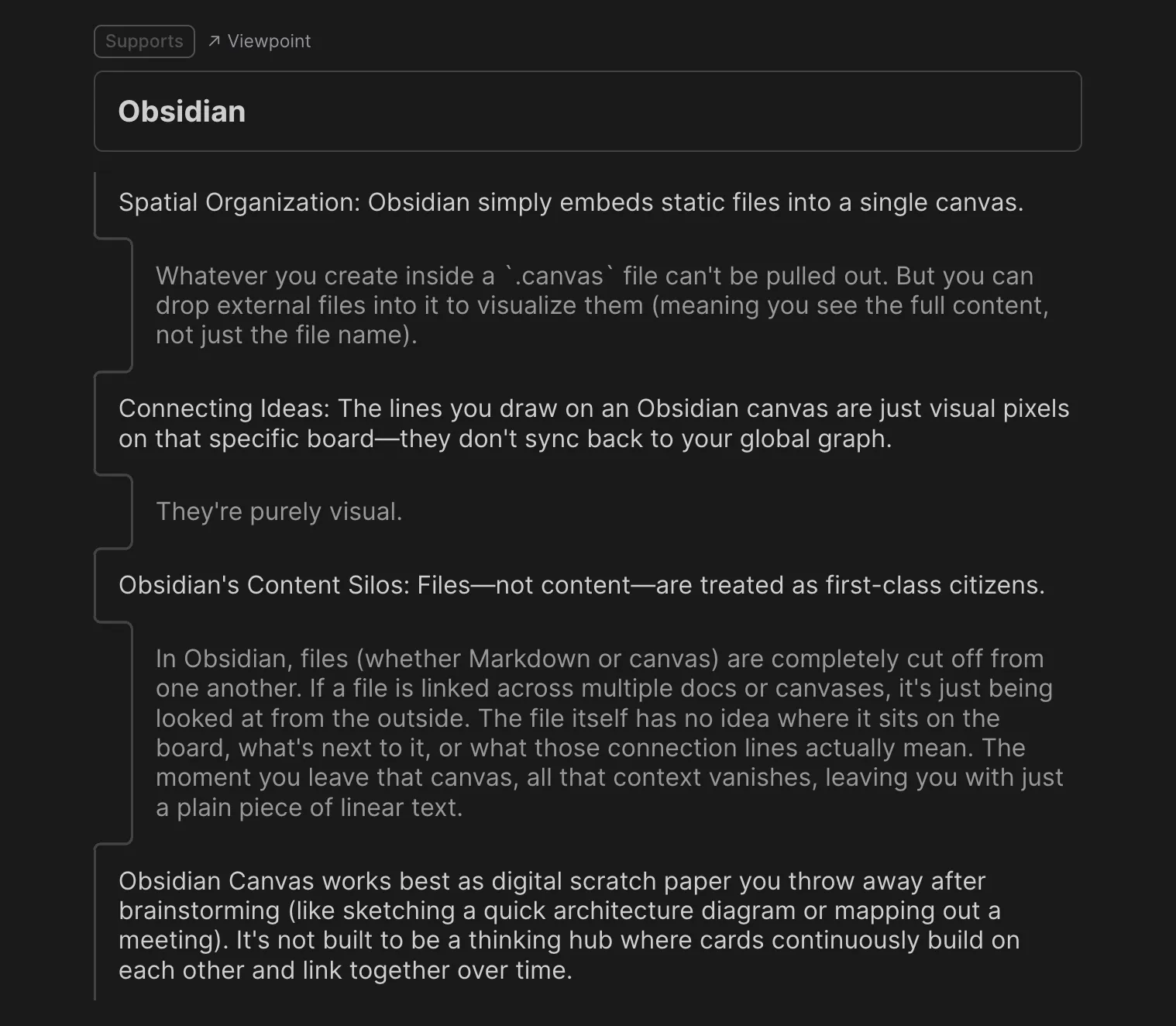
The interactive proposition tree used to structure the argument for this article is available to explore on FluxLinks.
Summary: Which Tool Fits Your Workflow?
- Choose Obsidian Canvas if you prioritize local-first data ownership, durability, and standard Markdown files, and need a lightweight spatial board for diagrams, concept maps, or temporary scratchpads.
- Choose Heptabase if your research requires visual thinking where atomic cards, PDF highlights, and spatial connections compound into a persistent relational network across topics, and you accept working within a proprietary database schema.
- Explore FluxLinks if you want to bypass the friction of flattening 2D whiteboards by structuring complex research directly into hierarchical proposition trees and structured prose.
Frequently Asked Questions
Can I export my Heptabase whiteboards and cards into Obsidian?
You can export the text content of your Heptabase cards into standard Markdown files and import them directly into an Obsidian vault. However, whiteboards export either as static images or linear lists. The interactive visual lines and spatial coordinates connecting those cards cannot be exported into an open visual format like JSON Canvas, meaning spatial relational graphs cannot be migrated seamlessly between the two tools.
Do connection lines in Obsidian Canvas count as backlinks in the Graph View?
No. Connection lines and arrows drawn on an Obsidian Canvas are stored strictly as layout data inside that individual .canvas JSON file. They do not write [[wikilinks]] into the connected Markdown notes, nor do they appear in Obsidian’s global Graph View or backlink panels.
Can multiple Obsidian Canvases share and update the same card like Heptabase?
Yes and no. You can embed the same .md note file across multiple .canvas files, and any text edits made to that note will stay in sync. However, the connections, neighboring cards, and arrow labels on each canvas remain isolated to their respective .canvas files; an individual note has no native awareness of which canvases embed it or how it is linked across them.
Is Obsidian Canvas fully offline and local-first compared to Heptabase?
Yes. Obsidian Canvas operates entirely on local plain text and local JSON files without requiring a user account or network connection. Heptabase supports client-side offline editing, but its unified card library and cross-device sync are built around a proprietary cloud database architecture.
Disclosure: I build FluxLinks. Neither Obsidian nor Heptabase sponsored this post.